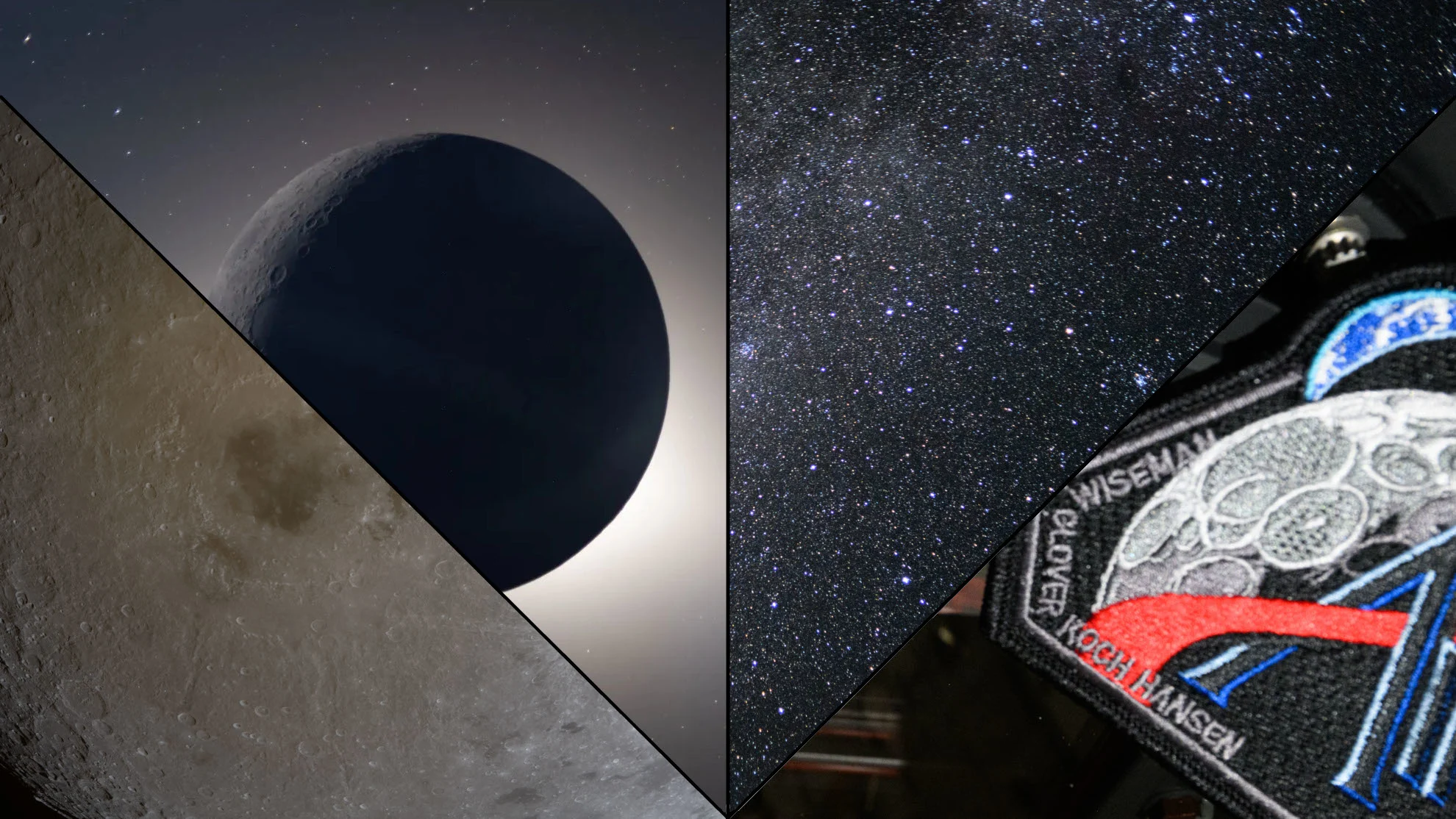
Keep the Moon Joy alive with over 12,000 new photos from Artemis 2

During the Artemis 2 flight around the Moon, NASA gave us a small sampling of the photographs captured by the four astronauts on board. Over the weekend, the agency uploaded thousands of new images from the crew's time in space, giving us all the opportunity to extend the 'Moon Joy' we felt during that historic mission.
Not every photograph is perfectly in focus. Also, there are multiple shots of the same view, as they were obviously attempting to vary the shutter speed, ISO, and other camera settings, to see what could be captured.
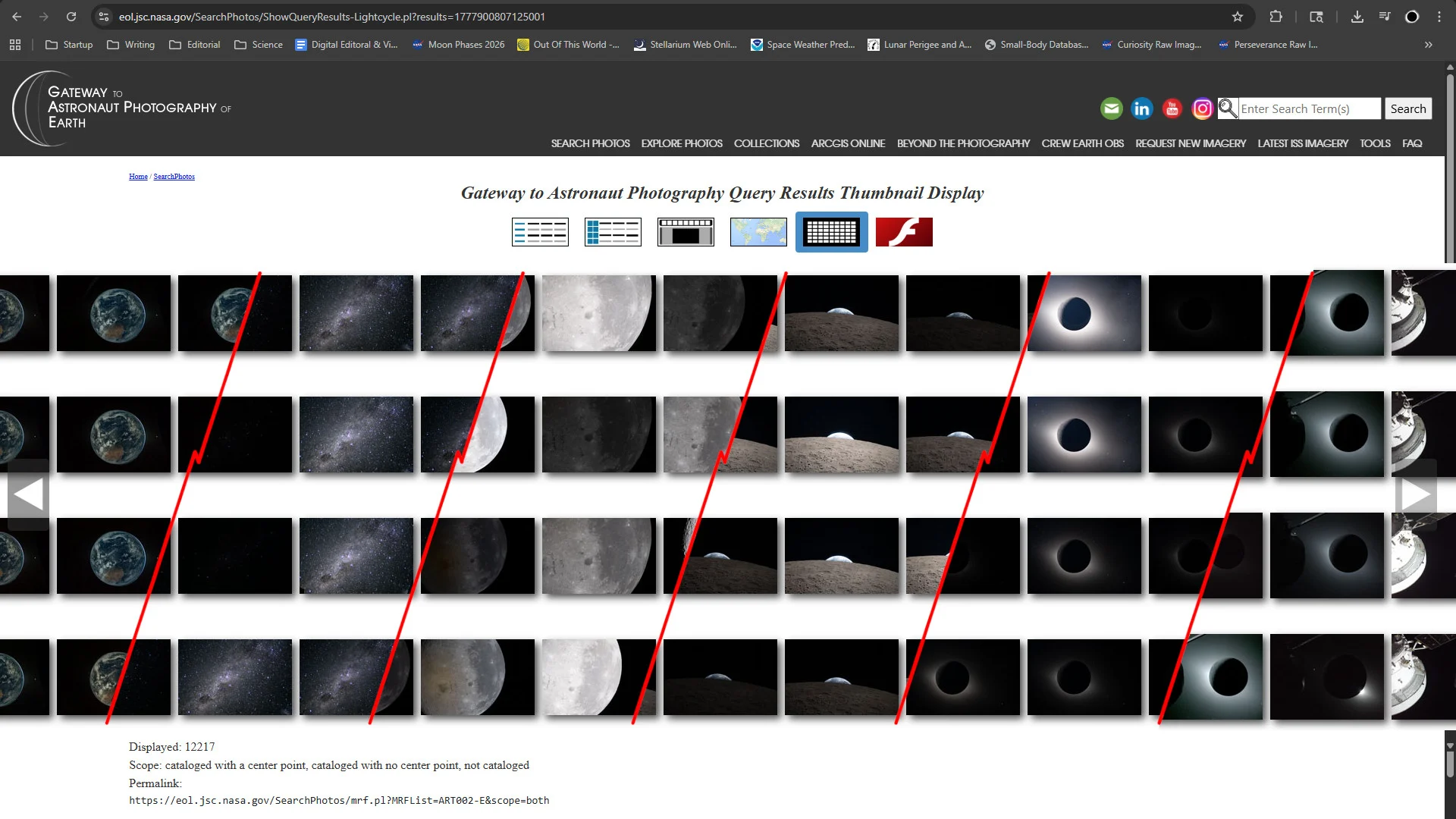
Several screencaptures from NASA's Gateway to Astronaut Photography of Earth website have been combined here, to show just a small sample of the extensive range of imagery now available to peruse. (NASA/Scott Sutherland)
However, the over 12,000 new images NASA just added to the Gateway to Astronaut Photography website, all snapped by astronauts Reid Wiseman, Victor Glover, Christina Koch, and Jeremy Hansen, or by the Orion spacecraft that flew them on their journey around the Moon in early April, will keep us scrolling and clicking for some time to come!
From Earth orbit to translunar injection burn to their closest approach to the Moon and return home, the astronauts documented the entire journey in photographs.
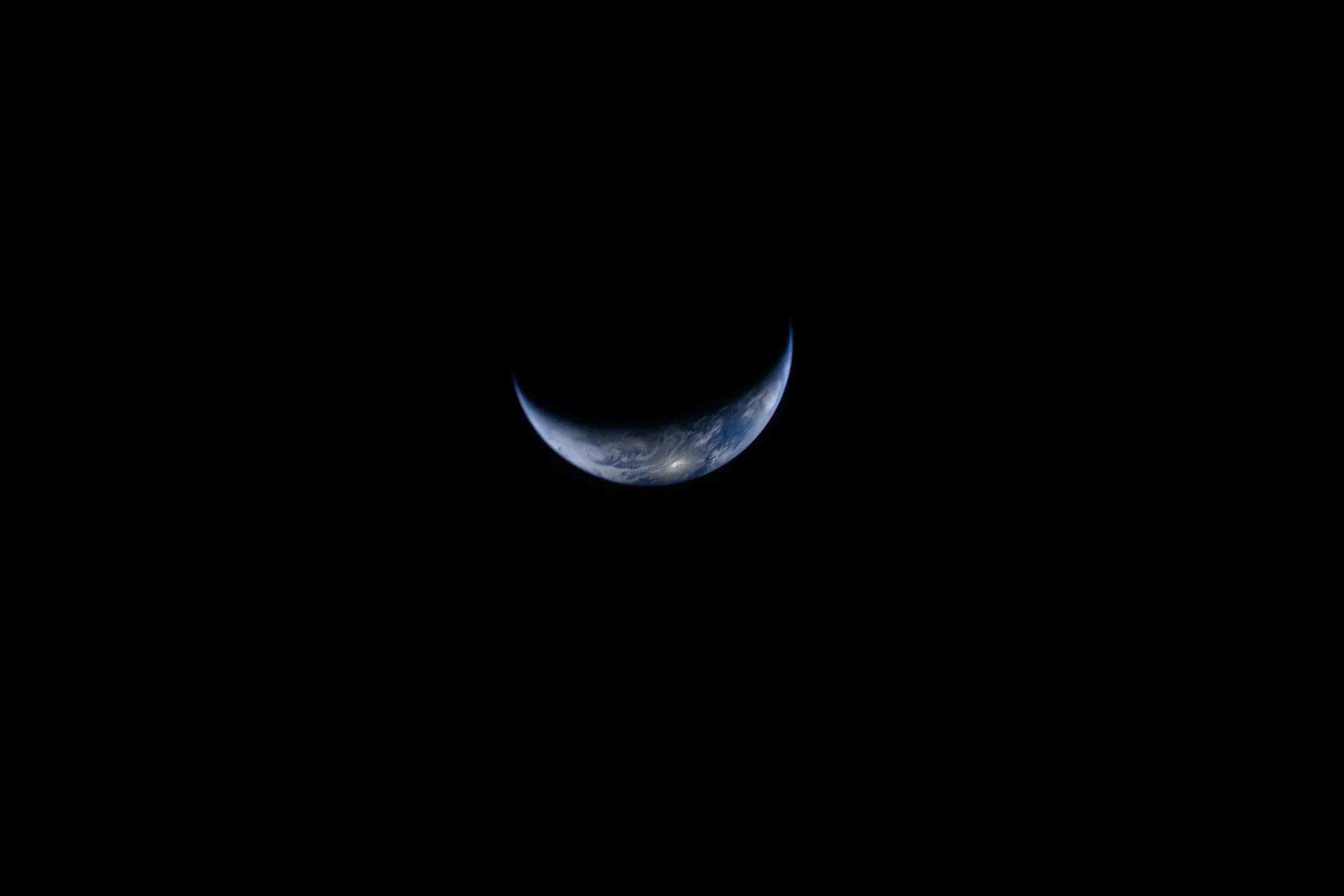
Crescent Earth, from Artemis 2. (NASA)
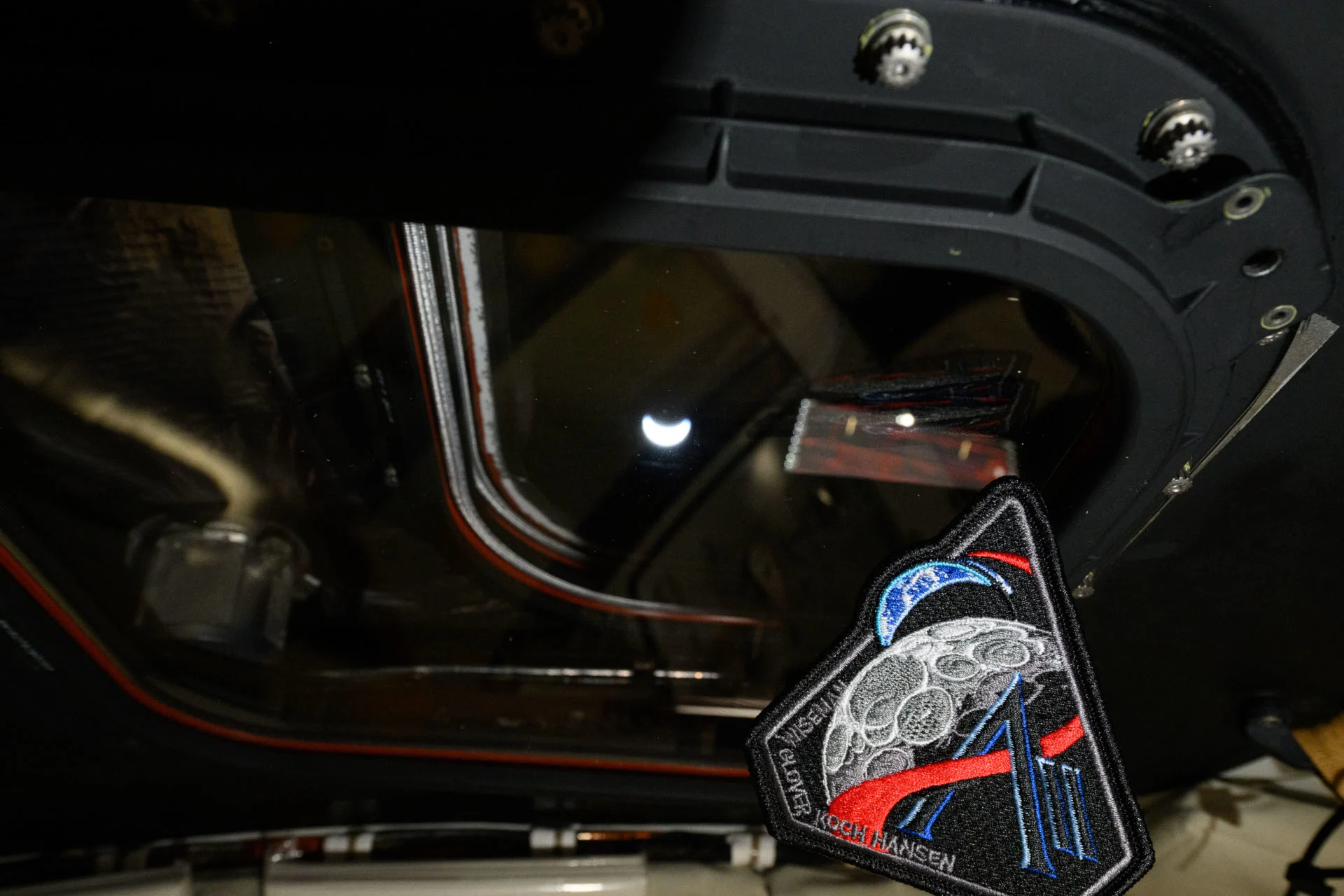
Crescent Earth through the Orion viewport, with the Artemis 2 mission patch. (NASA)
Once they reached the Moon, the crew spent a few hours just taking pictures of the lunar surface, working in pairs, while documenting all their observations in audio recordings for the science team back home.
Some of the best imagery from this part of the mission captured the colour variations of the lunar geology. From our perspective, here on Earth, the Moon looks to be just shades of grey. However, when viewed and imaged from closer up, subtle colour differences can be picked out.
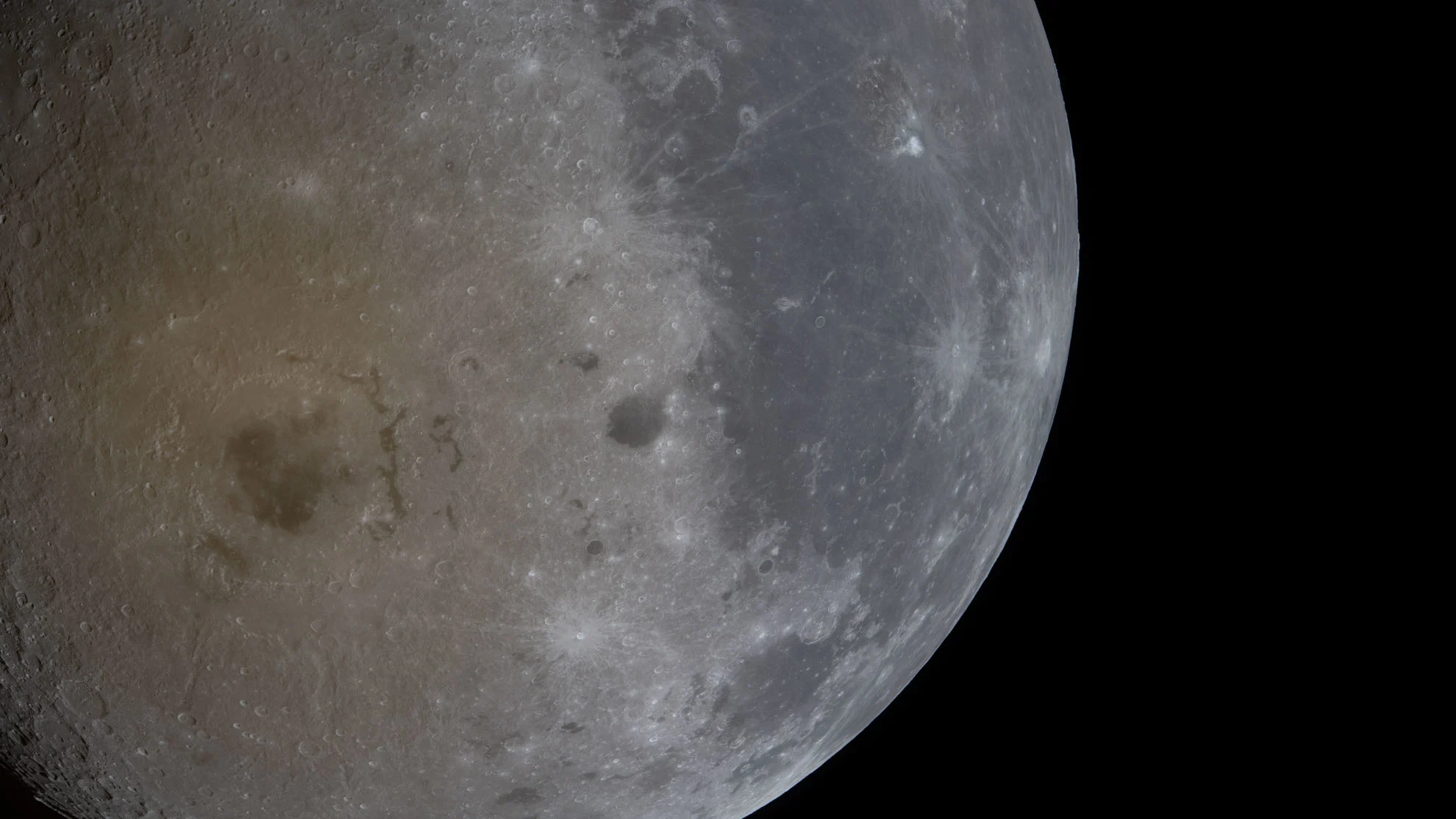
A photograph focusing on Orientale Crater, on the lunar far side, showing off the colour differences that other views and cameras miss. (NASA)
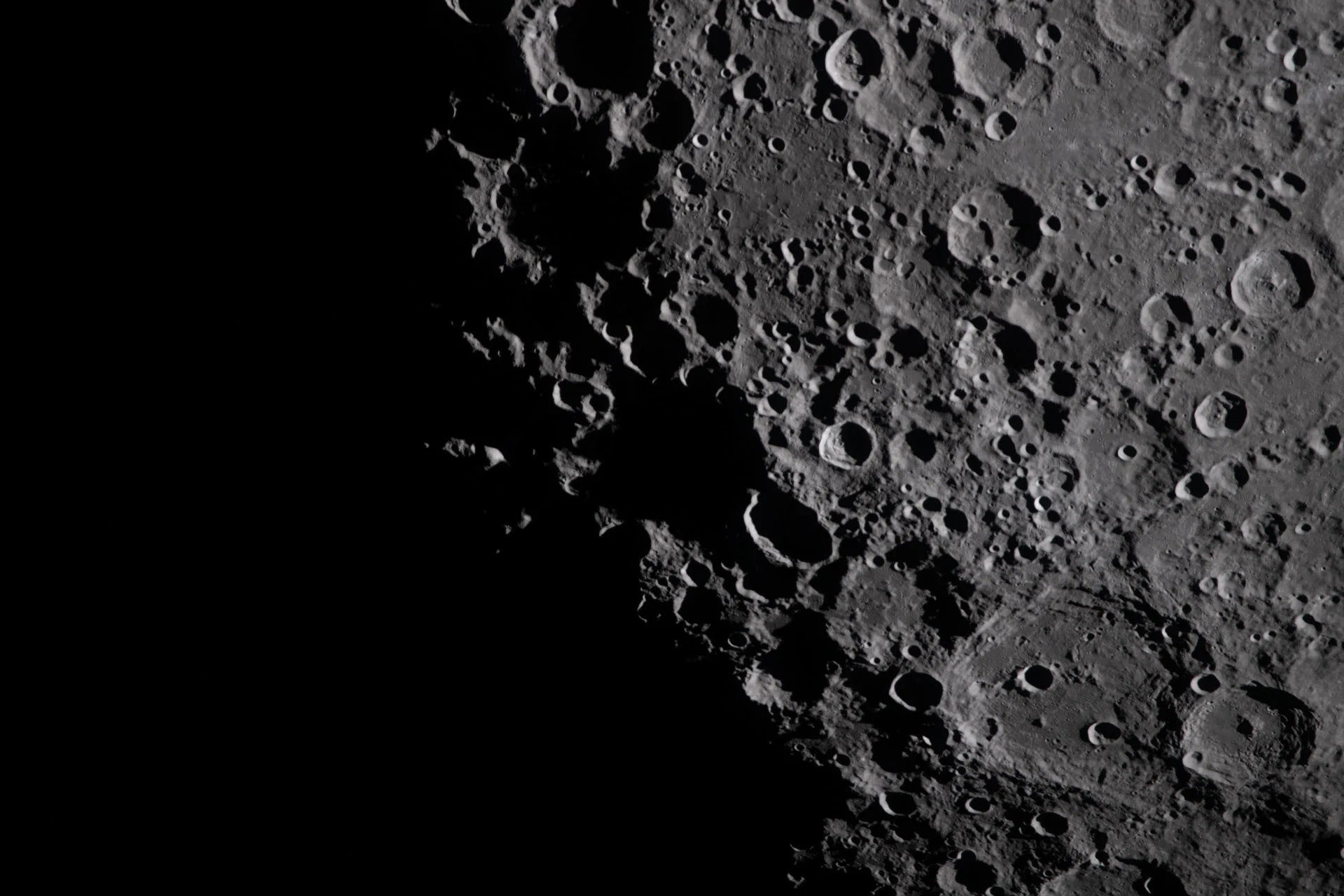
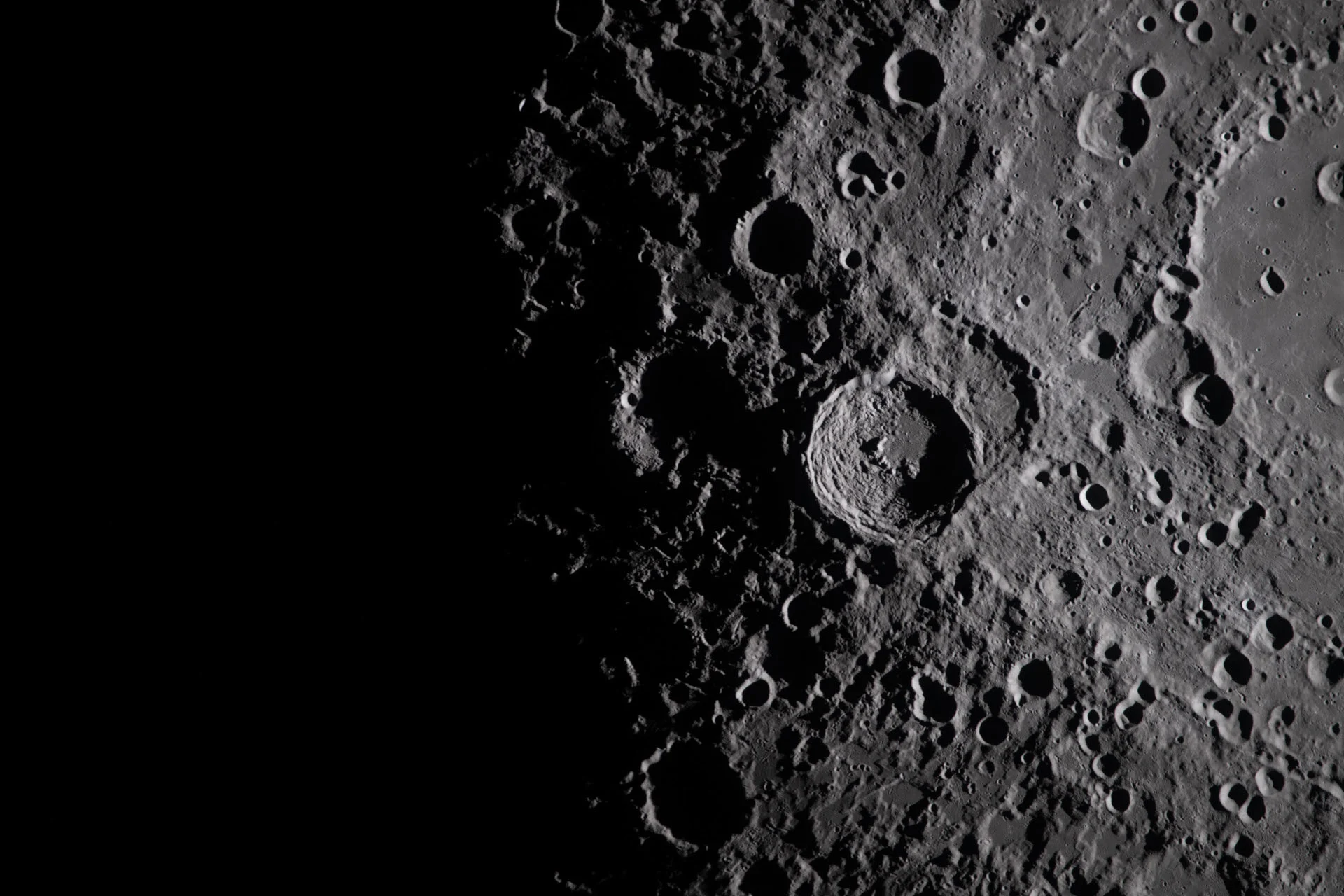
The crew also spent some time snapping pictures of the terrain along the terminator between day and night. The shadows that are cast along this line bring out details that are usually not apparent when viewed in full sunlight.
(NASA)
(NASA)
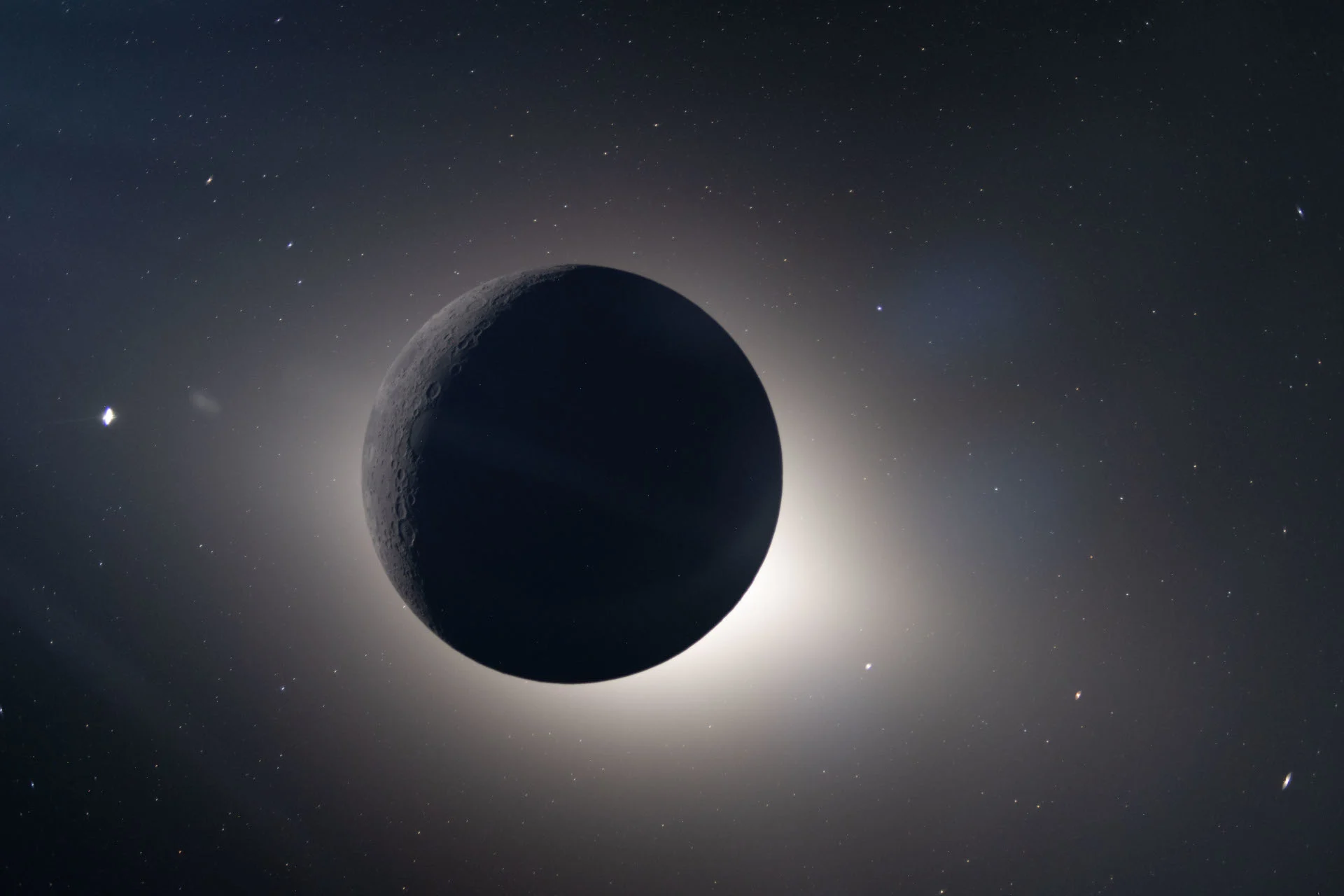
Although awed by the unique solar eclipse they were experiencing on the far side of the Moon, the crew continued to capture images.
This one not only catches the Moon surrounded by a glow, likely produced by sunlight reflecting off of space dust (aka the Zodiacal Light), but it also includes Venus (off to the left), plus Saturn, Mars, and Mercury (in the line to the lower right of the Moon).
(NASA)
They also gave us all something that is often missed when we see pictures of the Moon, Earth, and other objects in space...
Space itself.
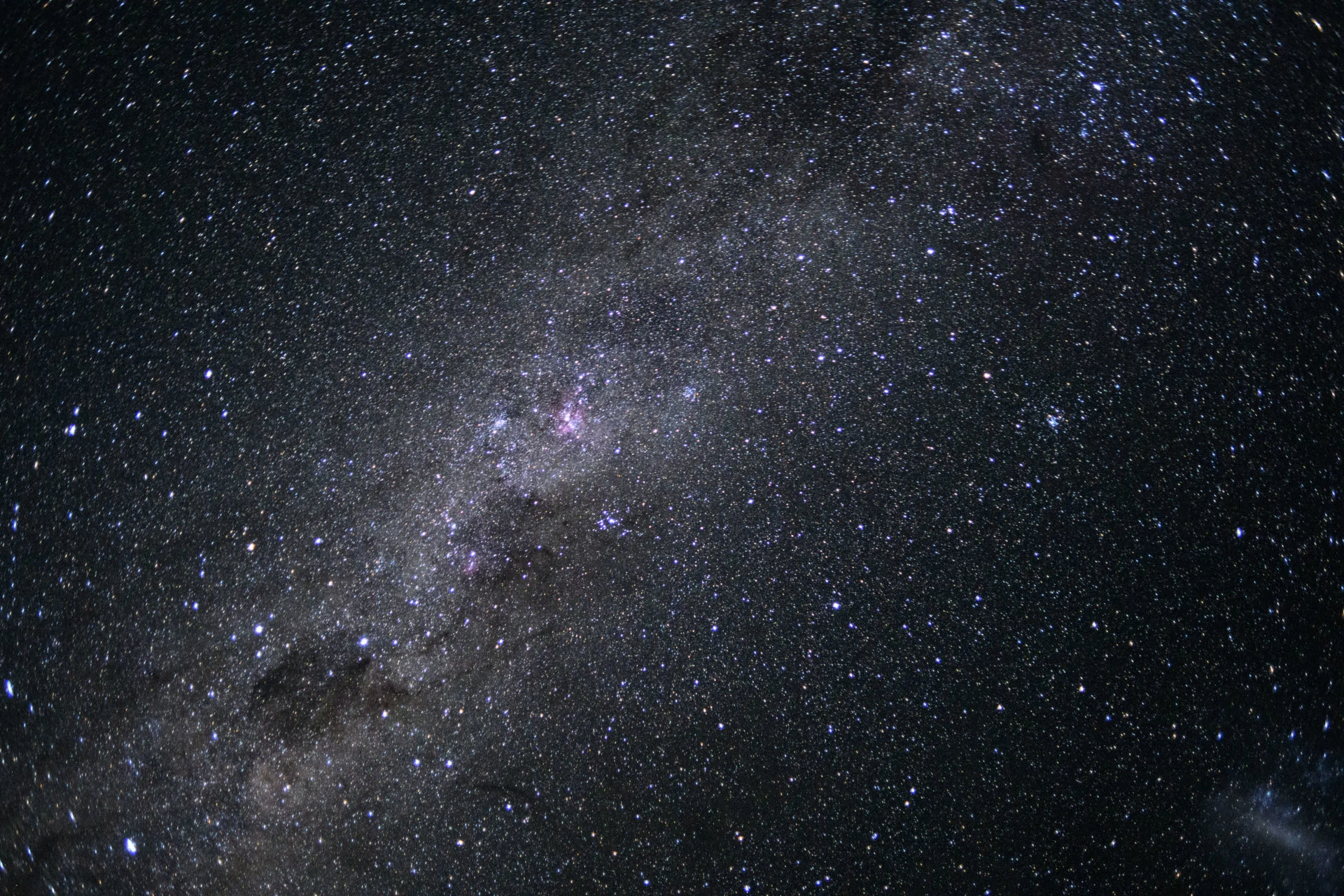
(NASA)
Cameras on these missions — whether they are operated remotely, by robotic commands, or by human astronauts — are usually set up to capture images of bright objects. We saw this very thing in the Apollo mission images from the 1960s and 1970s, and we see this in most of the pictures snapped by astronauts on board the International Space Station, today.
Although the astronauts can see the stars and the Milky Way, if the camera was set up to capture them, as well, the bright objects (Earth, the Moon, etc) in the field of view would be far too bright. Their brightness would completely wash out the view, ruining the image. In this case, though, the Artemis 2 crew were able to snap pictures of the core of the Milky Way (as shown above), and other views of space they were seeing outside their window, without the Moon or Earth interfering.
See for yourself
These thousands of images are available for the public to view via the Gateway to Astronaut Photography of Earth website.
Follow the link above, scroll down on the page to the Search Using Other Methods section, and type ART002-E (ART zero zero two dash E) into the field there. Then select Run Query, at the bottom.
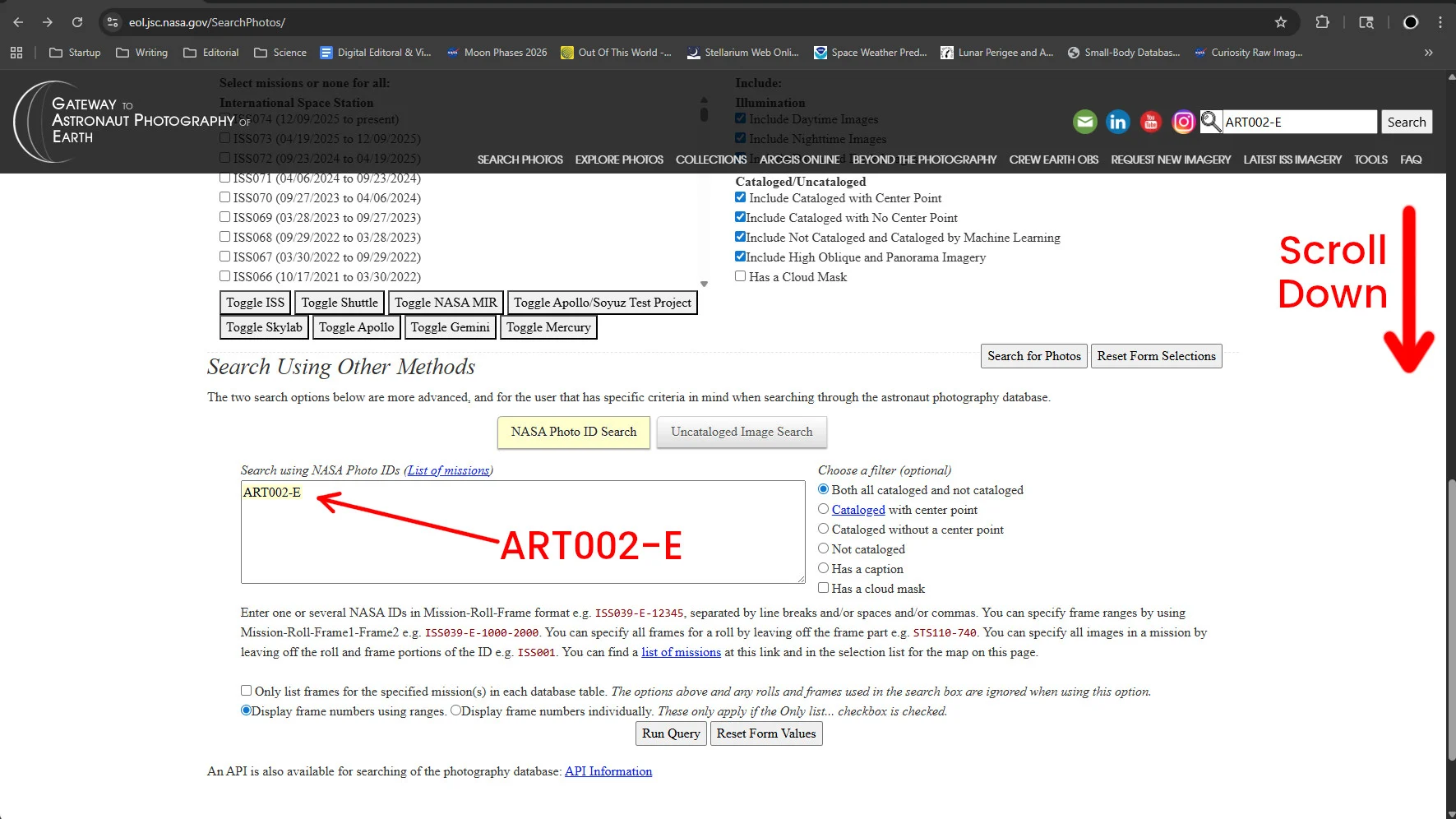
(NASA/Scott Sutherland)
It will take a few minutes for the full list to populate on the screen, but it is well worth the wait.
When the results show up, they will be in list form. Using the six small icons above the list, choose either the third one from the left, or the second one from the right. Those two formats will focus on image thumbnails, allowing you to scroll through the collection.
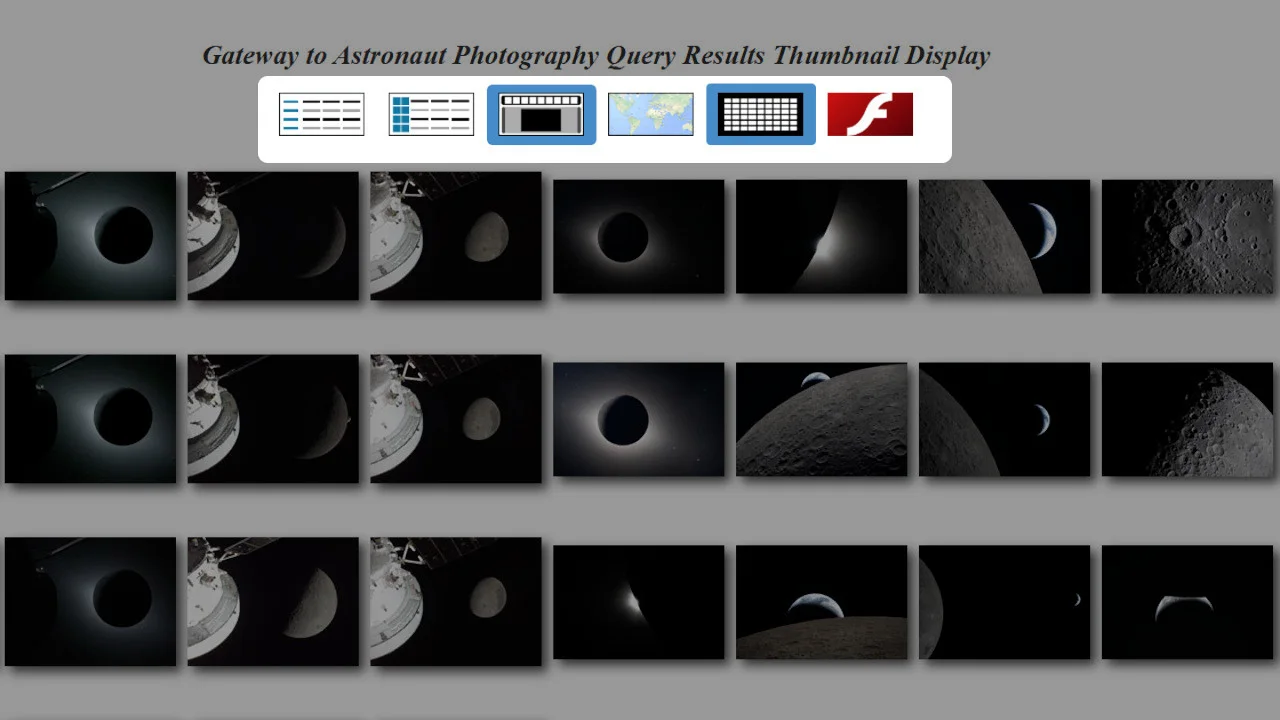
This 'thumbnail' view of the Gateway website search results highlights the six icons used to change how the search results are displayed. Choose either of the two options bordered in blue. (NASA/Scott Sutherland)
Right-clicking on any image thumbnail will allow you to open the full, high-resolution version of that image in a new tab, or download it directly (Save As).
As Canadian astronaut Jenni Gibbons, acting as CapCom for the mission, said in reply to the joy that the crew felt during their observations, "Copy, Moon Joy!"